
Context
Creating a business presentation requires more than placing text on slides. Teams must interpret the objective, understand the audience, build a coherent storyline, write concise content, maintain visual consistency and review the result. Repeating that work for different products, industries or customer groups slows sales, marketing, consulting and training teams and can produce inconsistent narratives.
Solution
Accepts a presentation request in plain language, including the desired output, subject and intended audience.
Interprets the request into explicit objective and audience fields so the planned deck remains aligned with the brief.
Creates the slide sequence before generation, making the proposed storyline visible for review.
Generates structured titles and bullet content slide by slide rather than returning an unexplained final file.
Adapts the message to the target cohort by connecting product capabilities with audience-specific needs and terminology.
Assembles the generated content into a native PowerPoint presentation with a consistent visual system.
Returns an editable deck so users can validate facts, refine messaging and complete brand, design and accessibility review.
Positions AI as a first-draft accelerator while leaving external publication and presentation decisions with the user.
Potential benefits
Benefits are working hypotheses to validate against the target data, workflow and operating environment.
- Accelerates presentation outlining and first-draft creation
- Tailors product messaging to a defined audience
- Reduces repetitive slide writing and assembly
- Makes request interpretation and generation progress visible
- Creates more consistent presentation storylines
- Supports rapid variations for products, personas and industries
- Preserves flexibility through editable PowerPoint output
- Keeps factual, brand and design approval with the user
Where StoryFlow Can Be Used
- Sales Presentations
- Product and Solution Pitches
- Executive Briefings
- Training and Learning Material
- Project and Bid Proposals
- Client Updates
- Research Summaries
- Audience-specific Campaign Decks
- Workshop Preparation
- Internal Communications
- Consulting Deliverables
- Pre-sales Enablement
Product workflow
Prototype screens use demonstration data and illustrate the workflow rather than a production deployment. Interfaces and outputs are configured for each organization.
Third-party names and interfaces, where visible, identify demonstration context only. Their marks belong to their respective owners and do not imply endorsement or partnership.
StoryFlow Journey
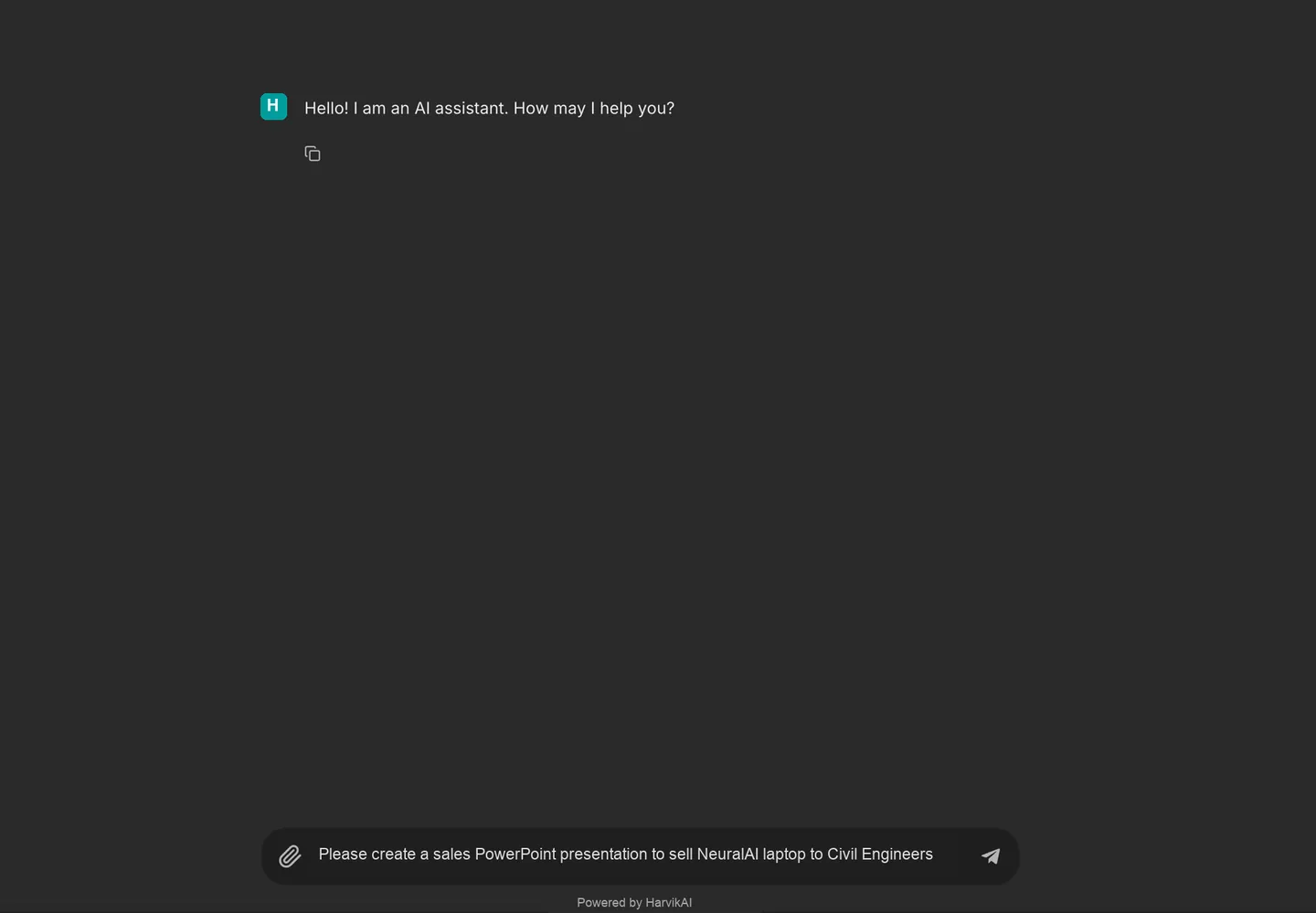
1. Describe the presentation
The user states the desired deliverable, product and target audience in one conversational request. This removes the need to begin with a rigid slide specification or manually construct an outline.
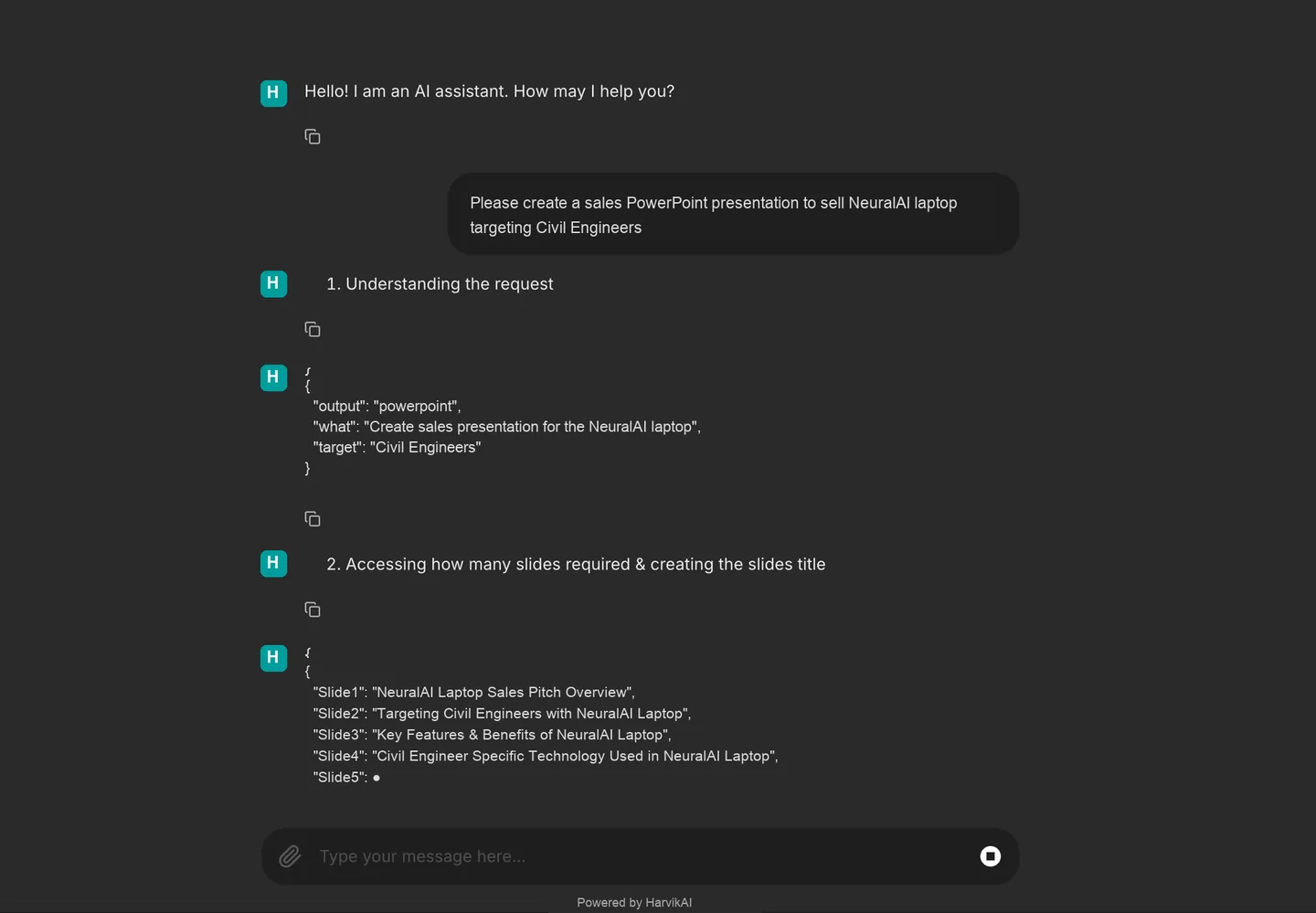
2. Confirm intent and plan the story
The assistant identifies PowerPoint as the output, NeuralAI laptop as the subject and civil engineers as the audience. It then proposes a slide sequence covering the pitch, audience, features, benefits and cohort-specific technology.
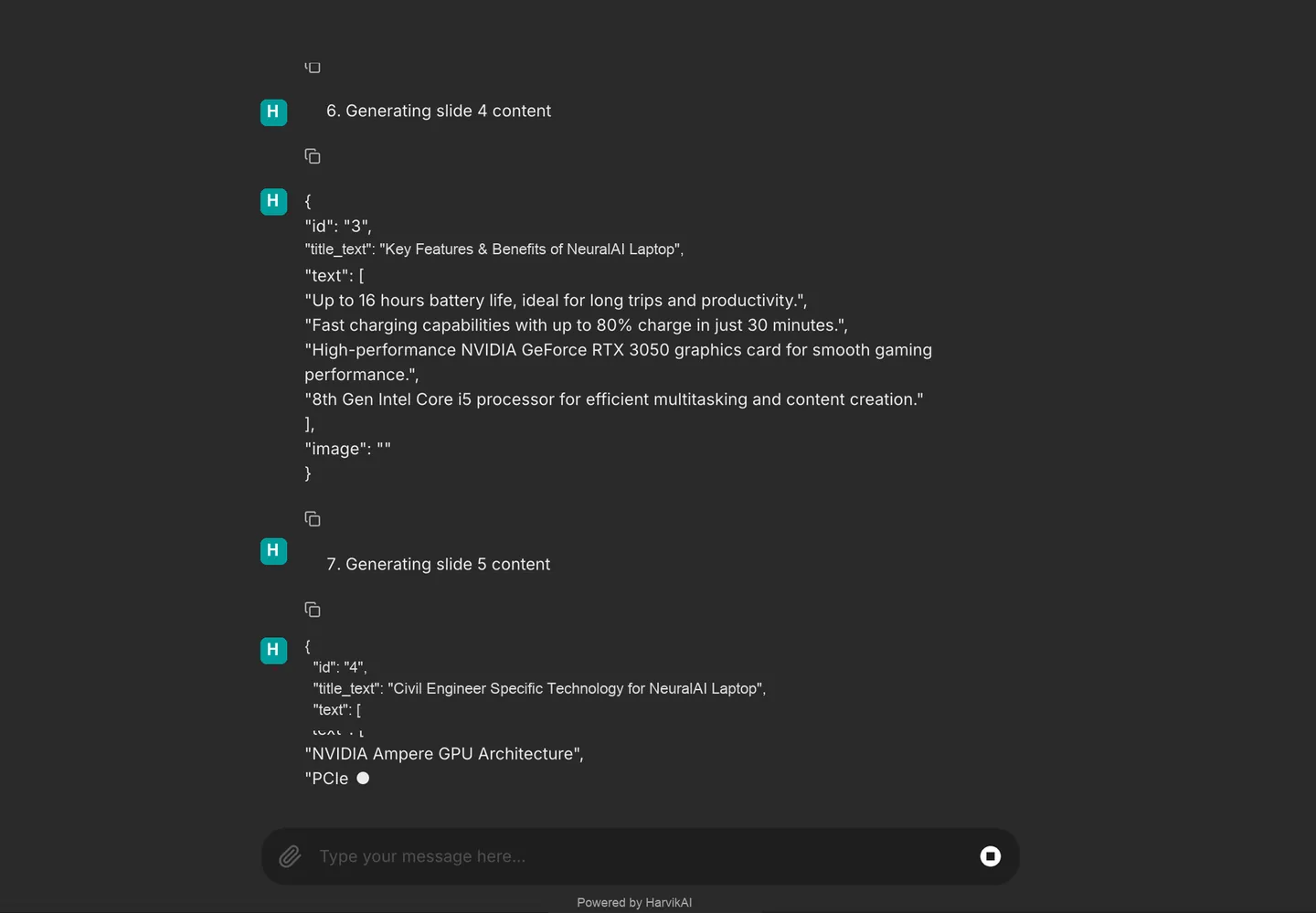
3. Generate each slide transparently
Titles and bullets are produced as structured slide content. Exposing this intermediate output makes the generation process understandable and gives users a basis for reviewing product claims and audience relevance.
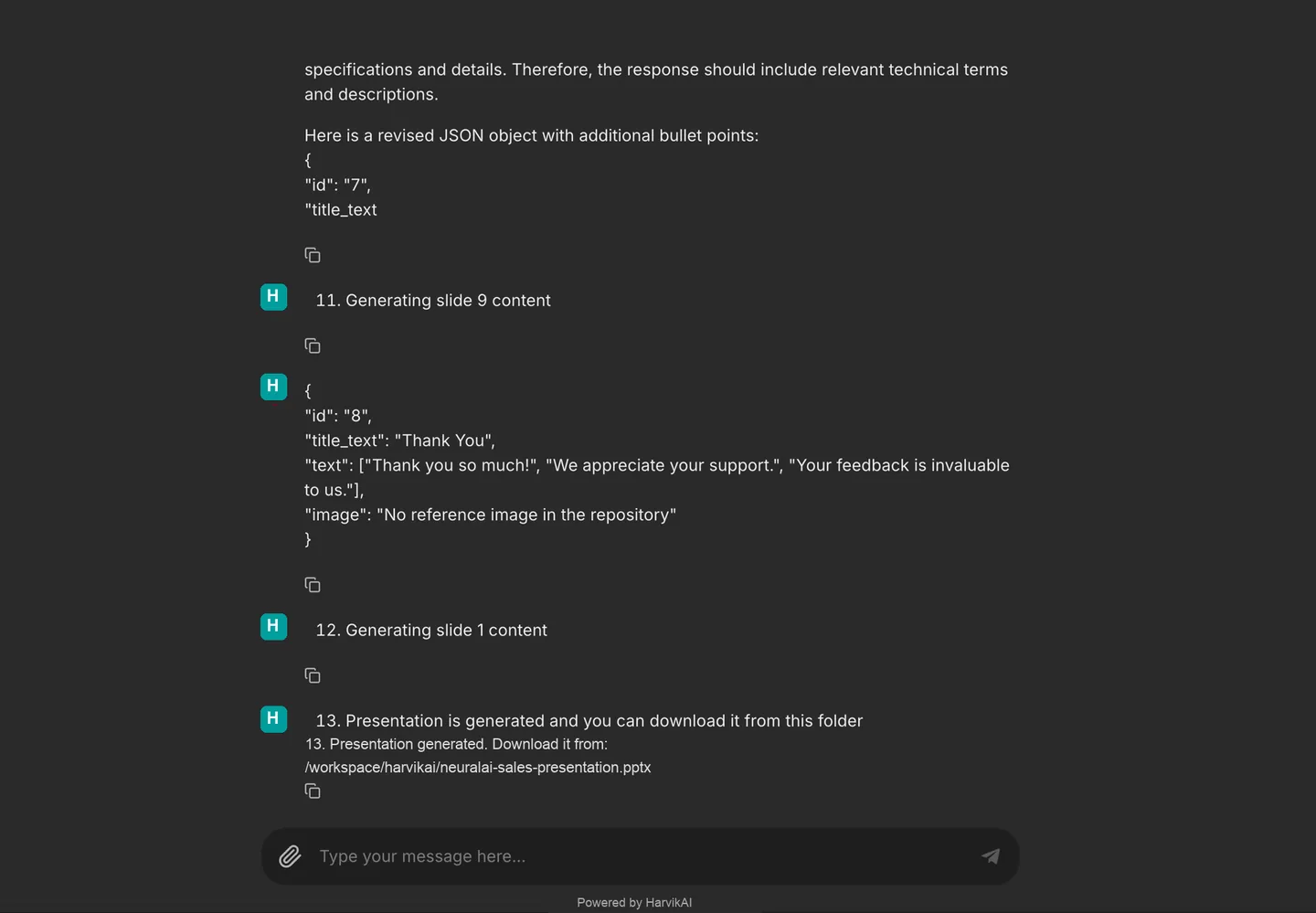
4. Assemble the editable deck
Once the planned slides are complete, the assistant creates the native PowerPoint file and exposes its saved location. The workflow moves directly from generated content to a usable presentation artifact.
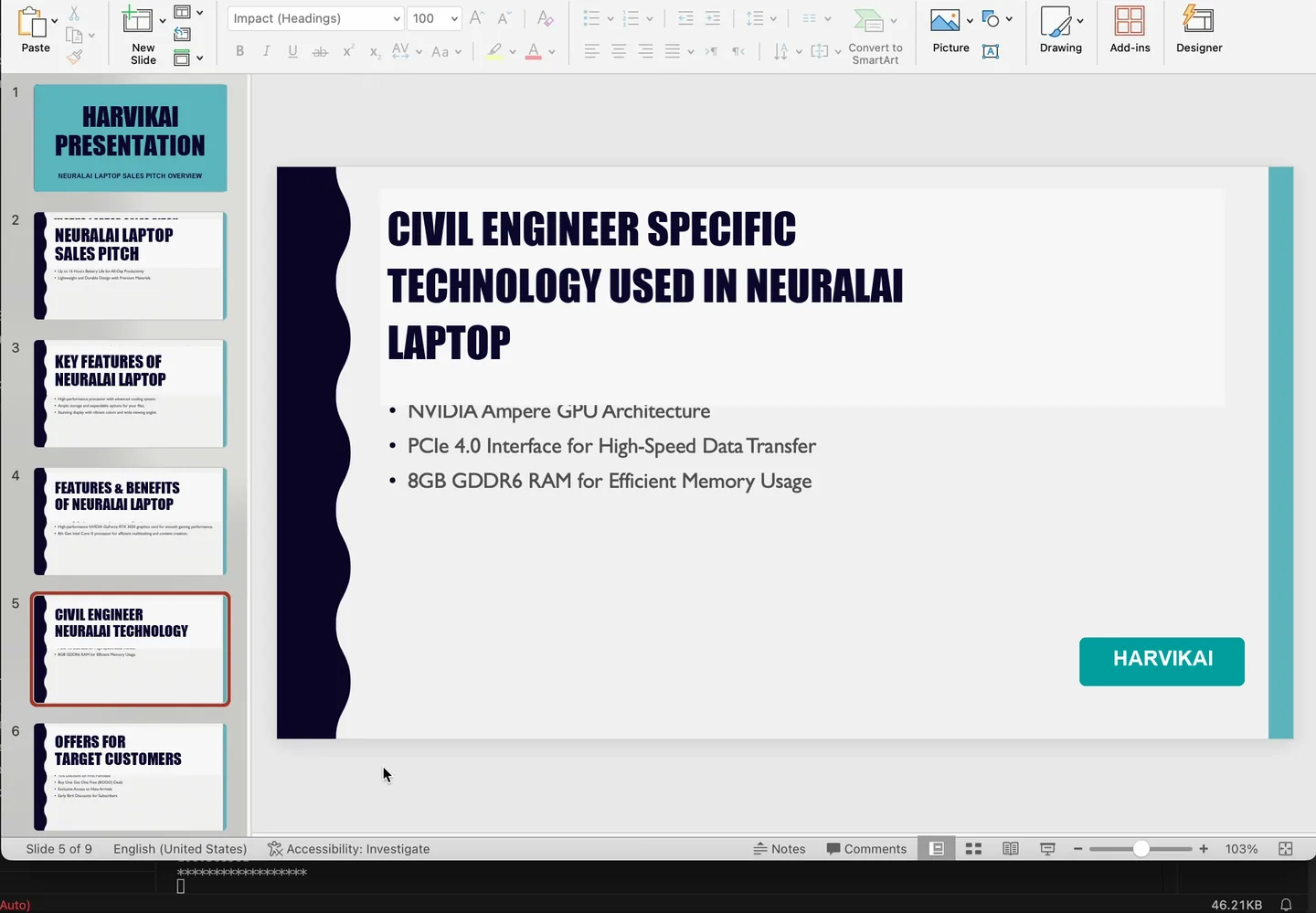
5. Review and refine the output
The generated deck presents NeuralAI laptop technology for civil engineers using a consistent theme and HarvikAI branding. Opening it in PowerPoint confirms that the result remains editable for factual validation, messaging refinement and final design approval.
How this implementation works
- The user describes the requested deliverable, product and audience conversationally—in this example, a NeuralAI laptop sales presentation for civil engineers.
- The assistant converts the brief into explicit output, subject and target-audience fields before it begins writing slides.
- A proposed slide sequence is created first, establishing the deck narrative and expected coverage.
- Content is generated slide by slide as structured titles, bullet points and optional image references, making the assembly process visible.
- Audience-specific slides connect NeuralAI laptop capabilities with the needs and terminology of civil engineers.
- After all content has been generated, the assistant assembles the presentation and provides the saved PowerPoint file.
- The resulting deck uses HarvikAI branding and a consistent presentation theme across the generated slides.
- Because the file opens as a native PowerPoint presentation, the user can validate claims, adjust layouts and complete final brand and design review before use.
Responsible deployment
Production use requires fit-for-purpose evaluation, privacy and security controls, clear human accountability, monitored performance, and a fallback for uncertain or harmful outputs.
- Validate output quality against representative data and agreed acceptance measures before production use.
- Keep an accountable person in control of consequential decisions and exception handling.
- Limit access, collection and retention to the documented business purpose.